Drag, drop, done
PDF tools that just work
Edit, merge, compress, and sign PDFs in seconds. Private, fast, and free to start — no accounts, no clutter.
- Private & on-device processing
- Instant results in your browser
- No sign-up required to start
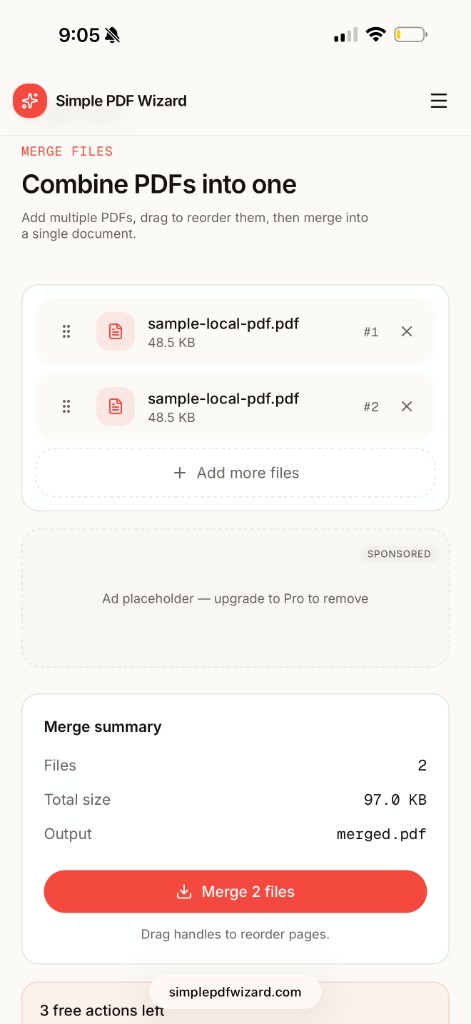
Merge files
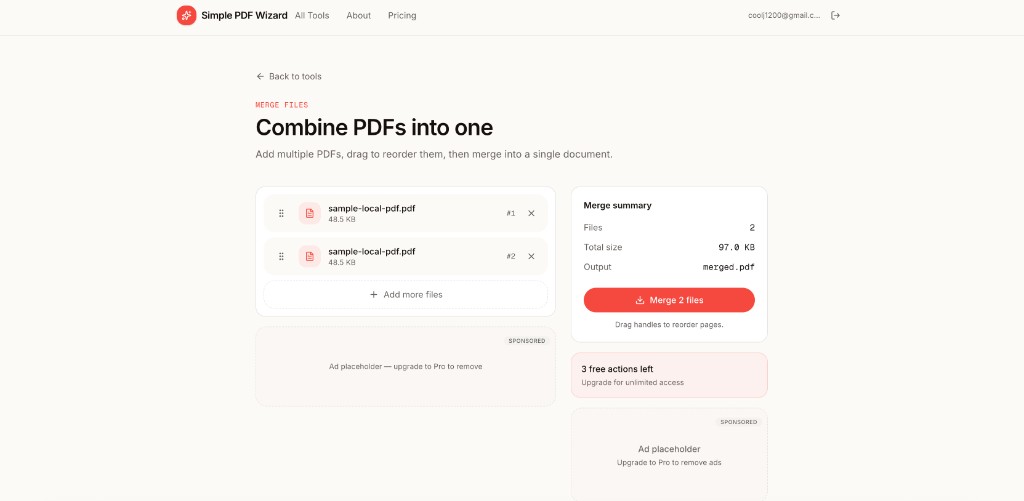
Combine PDFs into one
Add multiple PDFs, drag to reorder, and merge into a single document. Clean summary with file count and total size before you download.
- Drag to reorder
- Batch upload
- One-click merge
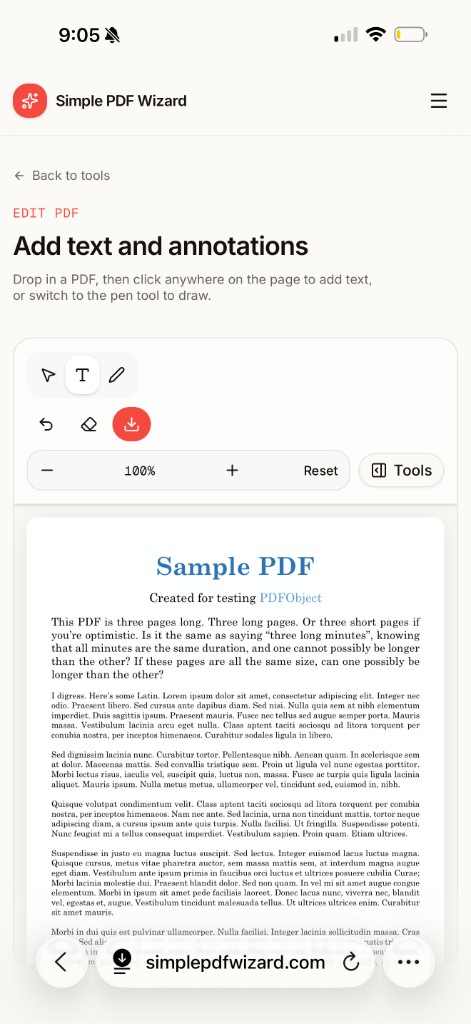
Edit PDF
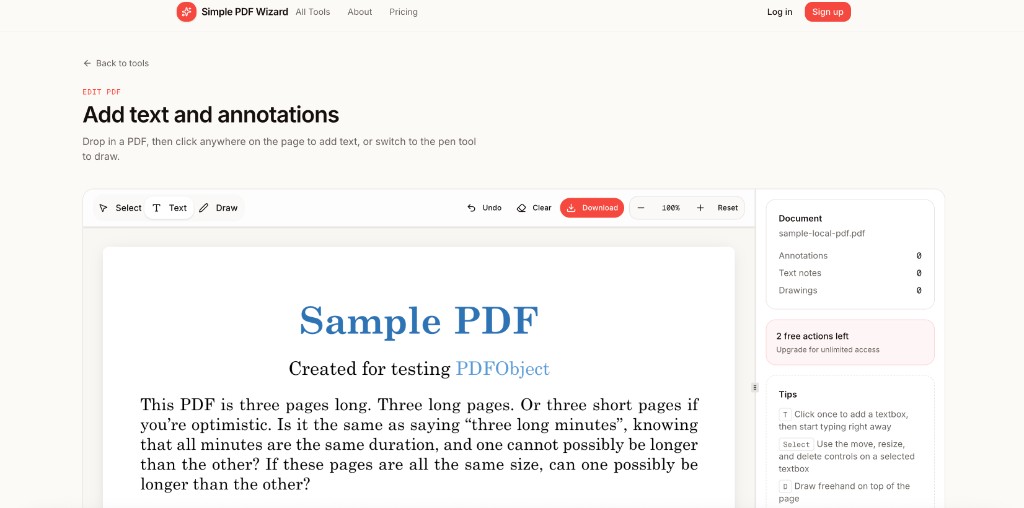
Text & annotations
Drop in a PDF, then add text anywhere or switch to the pen tool to draw. Undo, zoom, and download when you're done.
- Text tool
- Freehand draw
- Zoom controls
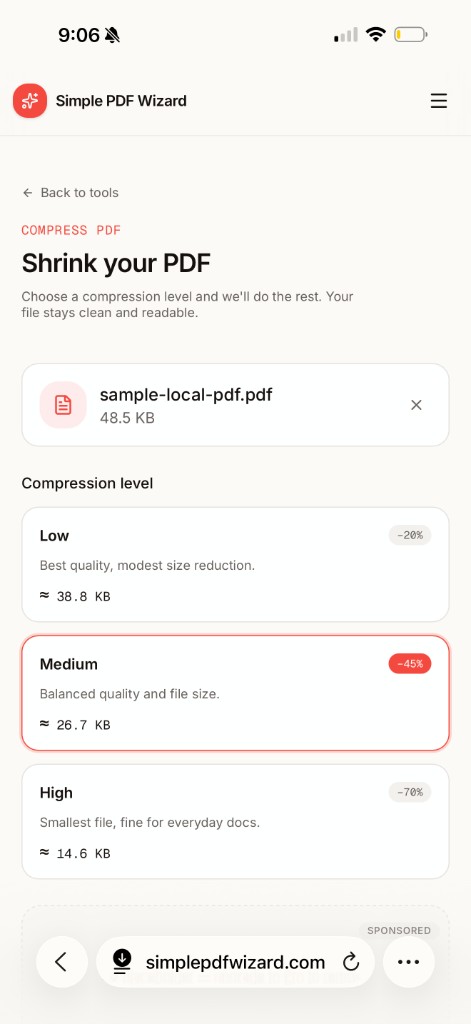
Compress PDF
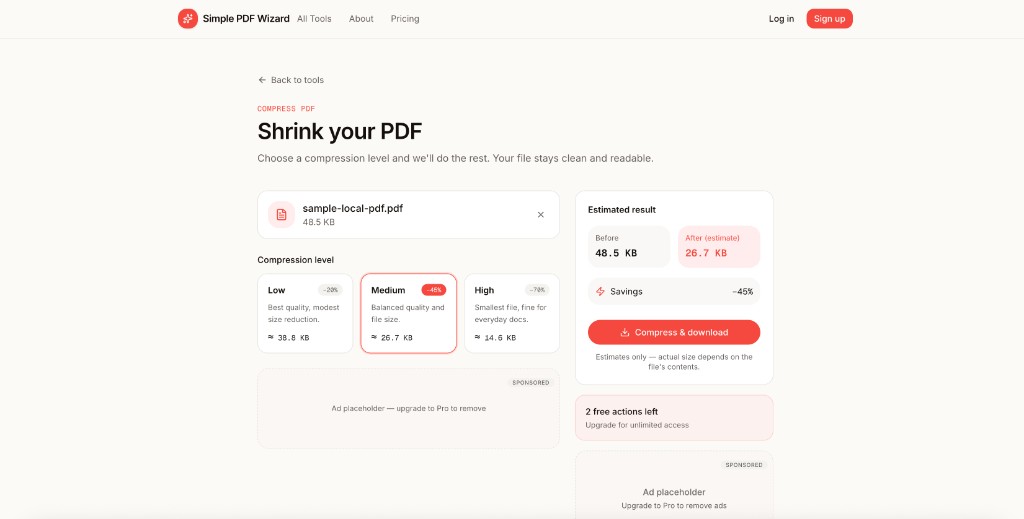
Shrink your file size
Choose Low, Medium, or High compression with live size estimates. Your file stays clean and readable — we do the rest.
- 3 compression levels
- Size estimates
- Fast download
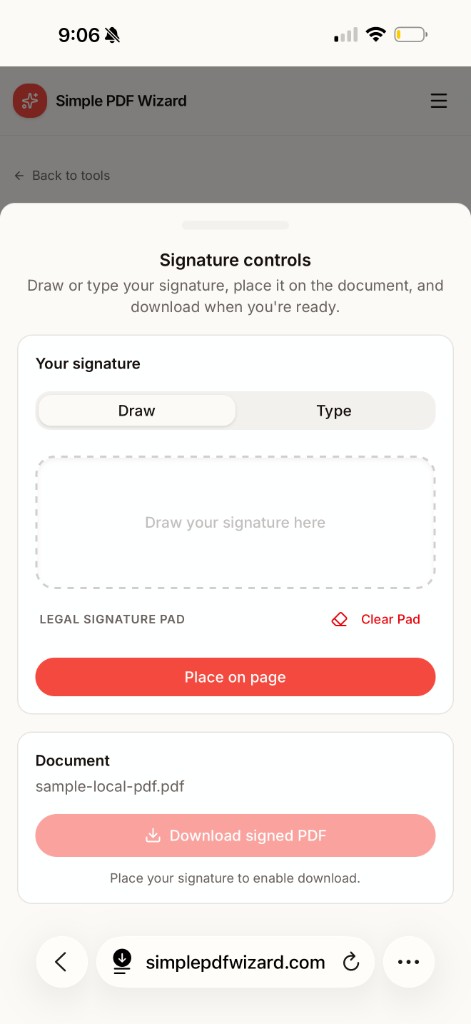
Add signature
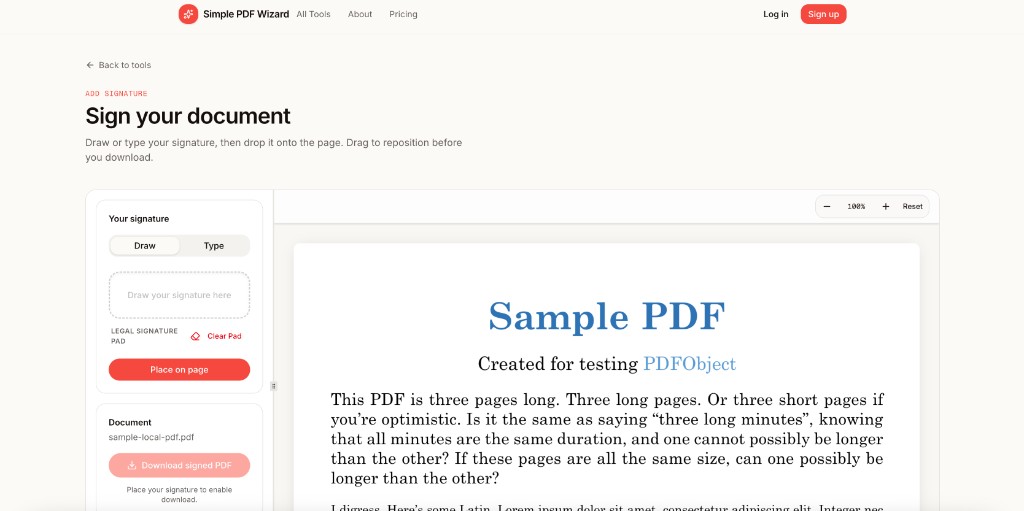
Sign & download
Draw or type your signature, place it on the page, drag to reposition, then download your signed PDF — all in the browser.
- Draw or type
- Place on page
- Signed download
Desktop & tablet
Full workspace on simplepdfwizard.com
The same four tools with room to breathe — sidebars, summaries, and drag-and-drop on any screen size.
Four focused tools
Pick a tool, get out
Each tool does one job well. No bloated suite — just edit, merge, compress, and sign when you need them.
- Edit — add text and freehand annotations
- Merge — combine multiple PDFs in order
- Compress — low, medium, or high quality
- Sign — draw, place, and download signed PDFs
- Works on iPhone, iPad, and desktop
- Simple wizard flow — no learning curve
Ready to handle your PDFs?
Built by Mazal Consulting. Open Simple PDF Wizard in your browser — free actions to start, upgrade when you need more.